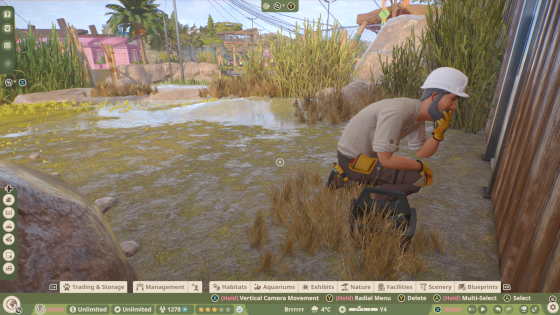
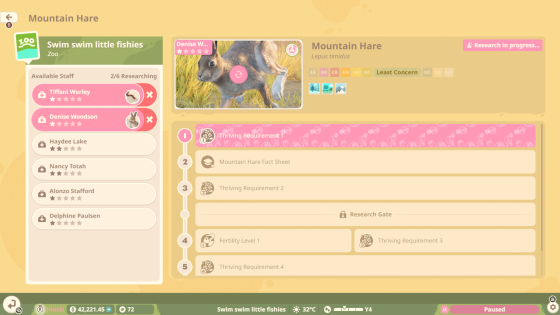
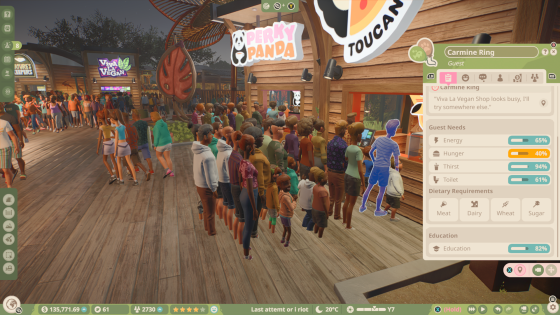
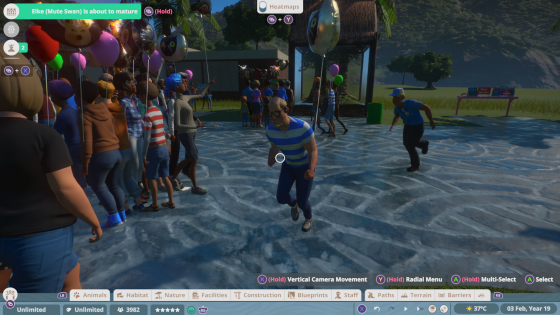
Planet Zoo 2 launches on PC, PS5, and Xbox Series X|S on October 13, 2026, and this time console players don’t have to spend years watching PC players have all the fun first.
That leaves a different decision for anyone still choosing where to buy it. Is Planet Zoo 2 actually going to offer the same experience on console, or will PC still be the better place to play? There’s also the decision of whether to buy the Planet Zoo 2 Standard or Deluxe edition too.
As a Planet Zoo console player myself, with more than 1,100 hours in Planet Zoo: Console Edition, I know which questions are worrying console players. How restrictive will the Complexity Meter be? Can we build the same enormous zoos as PC players? Can we use a mouse and keyboard on PS5 and Xbox? And does the new cross-platform Frontier Workshop make console a much more attractive option this time around?
Here’s what we actually know ahead of launch.
The Biggest Console Difference: The Complexity Meter
Frontier has confirmed that Planet Zoo 2 will use a Complexity Meter on console. If you’re coming from PC and have never encountered it before, the Complexity Meter is effectively a build limit designed to prevent a zoo from becoming more demanding than the console hardware can comfortably handle.
In the original Planet Zoo: Console Edition, complexity is calculated from the combined elements within your zoo, including animals, habitats, scenery, facilities, paths, and lakes. Once the meter reaches 100%, you can’t add new elements and animal breeding is disabled until you reduce the zoo’s complexity.

Planet Zoo 2 will again use a Complexity Meter on console, but there is one very important thing we don’t know yet: how restrictive it will actually be. Frontier hasn’t published a useful allowance such as “you can have 12 animals and 42 scenery pieces,” and even if it did, that probably wouldn’t tell the whole story. A small zoo containing thousands of individually placed construction pieces can be considerably more complex than a physically larger zoo built from simpler structures.
Planet Zoo 2 also adds entirely new systems, including aquariums, fully aquatic animals, aviaries, and flying species. Until we can actually get our hands on the game and start trying to break it, we don’t know how those additions will affect the complexity budget or how generous that budget will be in the first place. That is probably the biggest unanswered question for serious console builders.
Frontier has described the Complexity Meter as a console feature and hasn’t announced the same fixed system for PC. That doesn’t make the PC version literally unlimited. Eventually, your hardware becomes the limit. A giant zoo filled with thousands of guests, animals, scenery pieces, and heavily detailed habitats can still send performance directly into the nearest bin.
The difference is that PC players don’t have the same fixed console Complexity Meter stopping further construction. How far you can push Planet Zoo 2 will instead depend on the hardware running it. For players whose favorite part of Planet Zoo is constructing enormous, exceptionally detailed zoos, that’s still the strongest argument for PC.
However, the existence of a build limit doesn’t mean detailed building on console isn’t viable. I’ve spent more than 1,100 hours playing Planet Zoo: Console Edition and built some frankly ridiculous enclosures and facilities; I just adjust the size of the zoo to match what I’m building.
If I want an elaborate abandoned shopping center zoo with every discarded wheel, broken lawnmower, damaged sign, and very specific piece of rubbish placed exactly where I want it, I keep that zoo relatively small. My Barbie Dream Town zoo can live safely in another save without having its complexity allowance eaten by 300 carefully positioned pieces of abandoned garden furniture.
Console hasn’t stopped me building ridiculous things. It has just occasionally forced me to spread my ridiculous things across several zoos.
How Much Are Console Players Actually Giving Up?
Not necessarily very much. In fact, Planet Zoo 2 could narrow the PC-versus-console gap considerably. The original Planet Zoo launched on PC in November 2019 and didn’t reach PS5 and Xbox Series X|S until March 2024. Planet Zoo 2 is different because all three versions arrive together.
Frontier has also overhauled parts of the building experience. Planet Zoo 2 adds improved pathing tools, scalable scenery, expanded flexi-color options, foliage and terrain brushes, ready-made blueprints, and the new Frontier Workshop, all with console and pc in mind this time around.
The Frontier Workshop Is Cross-Platform
Planet Zoo 2 players will be able to browse and download player-created blueprints and creations shared across platforms through the Frontier Workshop.
That means a brilliant building created by somebody on PC isn’t automatically locked away from console players. PC, PS5, and Xbox players can all benefit from a much larger shared creative community. For console players, that’s a pretty significant improvement.
You might not want to spend three hours individually positioning roof pieces to build the world’s most elaborate capybara toilet block. Somebody absolutely will, though, and now you can benefit from their questionable life choices.
Can You Use a Mouse and Keyboard With Planet Zoo 2 on Console?
Yes. Frontier says Planet Zoo 2 supports both mouse and keyboard and gamepad controls on console, while Microsoft’s store listing specifically confirms Console Keyboard & Mouse support on Xbox Series X|S. This is arguably one of the most important things to know if Planet Zoo’s detailed building controls are the main reason you’re considering switching to PC.
Buying Planet Zoo 2 on PS5 or Xbox doesn’t mean committing yourself to constructing every building with a controller. If you already own a current-generation console but would otherwise need to spend hundreds of dollars upgrading or buying a gaming PC, adding a keyboard and mouse could be a considerably cheaper solution. That changes the PC-versus-console calculation quite a bit.
Changing your control method doesn’t change the version of Planet Zoo 2 you’re running, though. The Complexity Meter still exists on console as it’s designed to keep the zoo within the console’s hardware limits, not because you’re using a controller.
This is much more subjective. Planet Zoo has an extremely detailed piece-by-piece construction system. If you’re creating elaborate custom buildings, carefully aligning scenery, or making tiny adjustments to individual objects, many players will naturally find a mouse faster and more precise.

That doesn’t make the controller implementation bad. Plenty of Planet Zoo: Console Edition players, myself included, have spent hundreds or thousands of hours building with a controller.
Planet Zoo 2 also gives console players the useful option of not choosing permanently. You could manage your zoo from the couch with a controller, then switch to a mouse and keyboard when you suddenly decide the flamingo house absolutely requires 417 individually positioned wooden beams. We’ve all been there.
PS5 vs Xbox Series X|S: What’s Actually Different?
There isn’t currently a major gameplay feature that makes either console version the obvious winner. Both launch on October 13, both get the core Planet Zoo 2 experience, both have access to the Frontier Workshop, and both sit under the console Complexity Meter system. There are, however, a couple of platform-specific extras worth knowing about.
Planet Zoo 2 Is PS5 Pro Enhanced
The PlayStation Store officially lists Planet Zoo 2 as PS5 Pro Enhanced. What that enhancement actually means in terms of resolution, visual settings, or performance is something we won’t know untill the released game has been properly tested.
Planet Zoo 2 Supports Xbox Play Anywhere
Microsoft lists Planet Zoo 2 as an Xbox Play Anywhere title, with support for Xbox Series X|S and PC. That could make the Xbox version particularly attractive if you already move between a Windows PC and Xbox. It’s worth taking into account before automatically choosing Steam, especially if you’re already invested in Microsoft’s ecosystem.
Series S is the remaining question mark. Planet Zoo 2 is officially launching on both Xbox Series X and Xbox Series S, but Frontier hasn’t published enough information for us to say whether the two consoles will have identical limits. Until Planet Zoo 2 is actually running on both machines and players can compare them, we won’t know.
Can Your PC Actually Run Planet Zoo 2?
If you’re considering moving to PC specifically for Planet Zoo 2, check Frontier’s actual requirements before assuming any gaming PC will automatically give you a better experience than your console.
System Requirements
Minimum
- OS
- Windows 10, 11
- Processor
- Intel i7-8700K / AMD Ryzen 5 3600
- Memory
- 16 GB RAM
- Graphics
- NVIDIA GeForce RTX 2060 (6GB VRAM) / AMD Radeon RX 5600XT (6GB VRAM) / Intel Arc A750 (8GB VRAM)
- DirectX
- Version 12
- Storage
- 40 GB available space
Recommended
- OS
- Windows 11
- Processor
- Intel i7-10700K / AMD Ryzen 7 5800X
- Memory
- 16 GB RAM
- Graphics
- NVIDIA GeForce RTX 3070 (8GB VRAM) / AMD Radeon RX 6700XT (12GB VRAM) / Intel Arc A770 (16GB VRAM)
- DirectX
- Version 12
- Storage
- 40 GB available space
The game requires 40GB of available storage. Frontier recommends an SSD for the minimum specification and requires one for its recommended configuration. Those aren’t outrageous requirements for a modern PC game, but they’re high enough that an old laptop or basic desktop shouldn’t automatically be considered an upgrade over a PS5 or Xbox Series X|S.
So, Should You Buy Planet Zoo 2 on PC or Console?
If you already own a capable gaming PC and your idea of fun is building enormous, extremely detailed zoos, PC remains the safest choice. You avoid the console Complexity Meter, and mouse and keyboard controls naturally suit Planet Zoo’s precise construction tools.
The decision becomes much less clear if you already own a PS5 or Xbox Series X|S but would need to buy or significantly upgrade a PC specifically for Planet Zoo 2.
Console players are getting Planet Zoo 2 on the same day as PC players. You can use a mouse and keyboard if you prefer them. You can download creations shared across platforms through the Frontier Workshop, and Frontier hasn’t announced a cut-down feature set for the console release. The big unknown is still that Complexity Meter.
If your dream zoo is a continent-sized monstrosity containing several hundred animals and enough individually placed rocks to make a geologist stage an intervention, I’d wait to see how restrictive the console limit actually is. If you tend to build smaller or medium-sized zoos, or you’re happy splitting different ambitious builds across different saves as I do, console could prove to be a much smaller compromise than you expect.
Frequently Asked Questions
How much is Planet Zoo 2?
Where can I buy Planet Zoo 2?
Will Planet Zoo 2 be on Game Pass?
Is Planet Zoo 2 cross-platform?
Is Planet Zoo 2 multiplayer?
Is Planet Zoo 2 coming to PS4 or Xbox One?
Support Unboxed Reviews
Donations are entirely voluntary. Supporters receive no editorial influence — our reviews remain 100% independent.