


Paying for fast internet is always a good idea, right up until you walk upstairs and suddenly your expensive broadband connection has all the enthusiasm of 2004 dial-up, just without the Skrillex-sounding dubstep noise that used to come with it.
But before you go signing up to a new internet provider, or messing around with settings, you should probably check your devices aren’t in the void of Wi-Fi darkness. You could have Gigabit fiber coming into the house, but if your router is buried behind the TV at one end of the building, your bedroom, office, garage, or that one mysteriously cursed corner of the kitchen, which someone keeps using the fruit bowl to dump useless crap in, might still struggle to load a webpage.
Thankfully, fixing Wi-Fi dead spots doesn’t automatically mean spending hundreds of dollars on a shiny new mesh system. Depending on your home, you might be better off running Ethernet, adding an access point, trying powerline adapters, reusing another router, or sticking a cheap Wi-Fi extender halfway between the router and that room where the internet goes to die.
There isn’t one solution that’s best for every home, so before buying anything, it’s worth working out what problem you’re actually trying to fix.
Our Top Picks

Amazon Eero 6+
TP-Link RE315
TP-Link Omada AX1800
Mesh Wi-Fi: Easiest Way to the Digital Age
Mesh Wi-Fi has become popular for a very good reason. It’s easy.
Instead of one router sitting downstairs desperately trying to scream Wi-Fi through several walls, floors, wardrobes, people, pets, and whatever else your home throws at it, you place several mesh nodes around the property.
They work together under one network name, so you don’t end up with:
- HOME_WIFI
- HOME_WIFI_UPSTAIRS
- HOME_WIFI_FINAL
- HOME_WIFI_FINAL2
Your phone or laptop should simply move between nodes as you walk around the house.
There is one mistake people make all the time, though. A mesh node still needs a decent connection back to the rest of the network. If Wi-Fi is already completely dead in your bedroom, putting the node right beside the bed doesn’t magically fix anything. It needs to sit somewhere between the router and the problem area where it can still receive a decent signal.
Best Affordable Mesh: Amazon Eero 6+
For anyone who simply wants the Wi-Fi to work without becoming the unpaid IT administrator of their own house, eero 6+ is an easy recommendation.
A three-pack can cover a substantial home, supports Wi-Fi 6 and Gigabit-class connections, and eero’s whole approach is built around making setup and management relatively painless. There’s also wired backhaul support, so installing Ethernet later doesn’t mean replacing everything.
That’s the big attraction here. There are faster, considerably nerdier systems available, but plenty of households don’t need them. They need Netflix to stop buffering upstairs.
Amazon Eero 6+
We may earn a commission if you buy through links on this page, at no extra cost to you.

Best Premium Mesh: Netgear Orbi 770
For a larger home, a multi-gig internet connection, or somebody who simply has an offensive number of networked devices, NETGEAR’s Orbi 770 series is a considerably more serious setup.
You’re moving into tri-band Wi-Fi 7 territory here, alongside multi-gig Ethernet, so it makes much more sense when the rest of your network can actually benefit from all that bandwidth.
If you’ve got 300Mbps internet and a couple of phones, however, spending a fortune on Wi-Fi 7 because seven is a bigger number than six is probably unnecessary.
Netgear Orbi 770 Series
We may earn a commission if you buy through links on this page, at no extra cost to you.

Ethernet Backhaul Can Make Mesh Much Better
Mesh doesn’t mean every node has to communicate wirelessly. If you connect the units together using Ethernet, that’s known as Ethernet backhaul. Rather than sending everything across the wireless network from one node to another, the mesh uses the cable for that part of the journey.
It generally gives you a more stable connection, reduces wireless congestion, and leaves more Wi-Fi capacity available for the devices that actually need it.
This is also why I wouldn’t automatically spend stupid money on the fanciest wireless mesh available. A sensibly priced mesh kit with Ethernet between its nodes can be a better setup than an expensive one trying to fight wirelessly through three floors and several brick walls.
Wired Access Points: Still the Best Option if You Can Run Ethernet
If you’re willing and able to run Ethernet around the house, proper wired access points are extremely difficult to beat.
It isn’t the glamorous answer. Nobody watches an advert showing an attractive couple joyfully crawling through the loft with a 50-foot network cable. But instead of trying to repeat an already weakened wireless signal, an access point gets a proper wired network connection exactly where you need Wi-Fi.
Router downstairs, Ethernet upstairs, access point on the ceiling or wall. Job done.
Best Affordable Access Point: TP-Link Omada EAP610
If you want to do this without spending a fortune, TP-Link’s Omada EAP610 gives you Wi-Fi 6 and PoE support in a fairly inexpensive access point.
PoE is particularly handy here because compatible network equipment can send both power and data down the Ethernet cable. That means you don’t necessarily need a power socket sitting next to wherever you want to mount the access point.
It’s a little more involved than opening a mesh box and following an app, but I’d take one properly wired access point over a chain of badly positioned repeaters every day of the week.
TP-Link Omada AX1800
We may earn a commission if you buy through links on this page, at no extra cost to you.

Best Premium Access Point: Netgear Wax630ep
Once you’re deliberately building a faster wired network, NETGEAR’s WAX630E gives you tri-band Wi-Fi 6E and is aimed at considerably more demanding environments.
This is overkill for getting TikTok into the upstairs bathroom, but it starts making sense for bigger homes, home offices, and networks where you’ve deliberately decided to use wired access points instead of consumer mesh hardware.
At this point you’ve officially crossed the line from “fixing the Wi-Fi” into “having opinions about ceiling-mounted access points.”
Netgear Wax630ep
We may earn a commission if you buy through links on this page, at no extra cost to you.

Can You Use Two Routers as a Mesh?
Sometimes, and this can save you quite a bit of money if you already own a decent router.
What you can’t do is buy two completely unrelated routers, put one upstairs, and announce that you’ve invented mesh Wi-Fi.
Manufacturers including ASUS allow compatible routers to work together as a proper mesh. ASUS calls its system AiMesh, while other hardware may support EasyMesh or another manufacturer’s own implementation.
Even if your spare router doesn’t support mesh, check whether it has an Access Point mode. Connecting an old router back to the main one using Ethernet can still be an excellent way to reuse hardware you’d otherwise chuck in a cupboard for the next seven years.
Affordable AiMesh Router: ASUS RT-AX57
ASUS’s RT-AX57 makes sense if you want a reasonably priced Wi-Fi 6 router today with the option to expand into AiMesh later.
You can start with one, then add another compatible ASUS router if you discover the far end of the house still needs help.
It’s particularly appealing if you’d rather have traditional router settings and controls than some of the aggressively simplified mesh apps.
ASUS RT-AX57
We may earn a commission if you buy through links on this page, at no extra cost to you.

Premium AiMesh Router: ASUS RT-AX86U Pro
For heavier networks, RT-AX86U Pro is a more capable route into ASUS’s AiMesh ecosystem.
It gives you faster AX5700 Wi-Fi 6, a 2.5Gb port, and substantially more routing capability while still letting you add compatible ASUS hardware around the house later.
If you’ve already got another AiMesh-compatible ASUS router, definitely check whether you can reuse it before replacing everything.
ASUS RT-AX86U Pro
We may earn a commission if you buy through links on this page, at no extra cost to you.
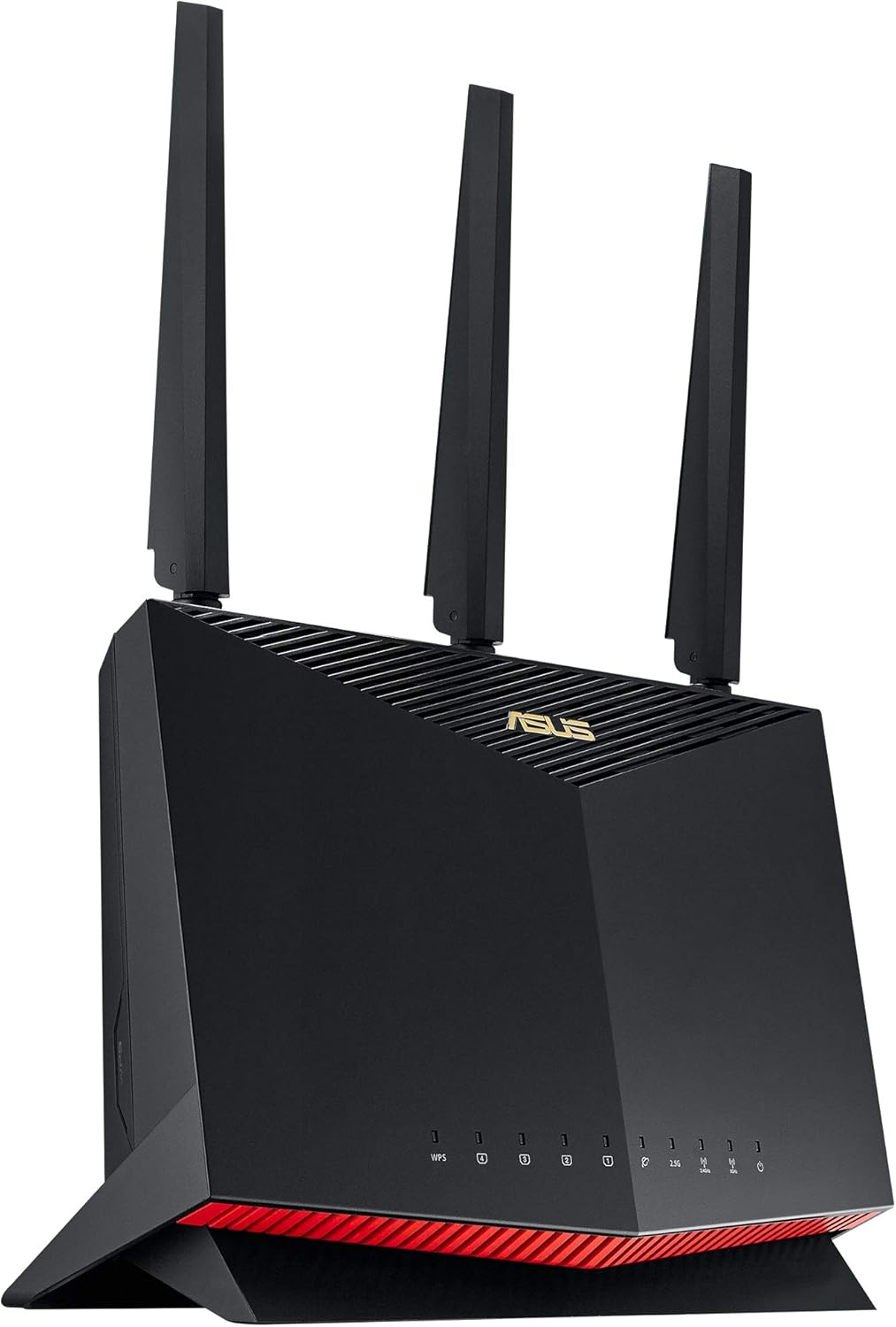
Powerline Adapters: When Your Walls Absolutely Hate Wi-Fi
Powerline networking sounds slightly ridiculous the first time somebody explains it.
Instead of sending your network through Wi-Fi or dedicated Ethernet cabling, powerline adapters send data through the electrical wiring already running around your home.
One adapter goes into a wall outlet near the router and connects to it with Ethernet. The second plugs in elsewhere in the house, giving you a network connection at the other end.
When it works well, it’s bloody brilliant. Unfortunately, your house gets a vote.
The quality and age of the wiring, circuit layout, electrical interference, AFCI breakers, distance, and other factors can all affect performance. TP-Link itself notes that the headline powerline rates are physical signaling rates and that actual throughput varies with the electrical environment.
Best Affordable Powerline Kit: TP-Link TL-Pa7017p
For a cheap way to see whether powerline gets along with your house, the TP-Link TL-Pa7017p is a sensible place to start.
It uses HomePlug AV2, includes Gigabit Ethernet, and has passthrough power sockets so the adapters don’t completely steal your wall outlets.
If your only problem is connecting one PC, console, television, or another access point in an awkward room, you may not need anything more complicated.
TP-Link TL-Pa7017p
We may earn a commission if you buy through links on this page, at no extra cost to you.

Best Premium Powerline Kit: Netgear Plp2000
If powerline behaves nicely in your house and you want something more substantial, NETGEAR’s PLP2000 is the step up I’d look at.
You get two Gigabit Ethernet ports per unit and passthrough outlets, making it more practical when several wired devices live at the far end.
Again, ignore any temptation to treat the giant number on the box like a guaranteed speed test result. Powerline is one of those technologies where your neighbor can swear it’s the greatest networking invention ever made while your own electrical system decides it would rather communicate using smoke signals.
Netgear Plp2000
We may earn a commission if you buy through links on this page, at no extra cost to you.

Wi-Fi Extenders: Cheap, Simple, and Sometimes Exactly What You Need
Range extenders get treated like the embarrassing cousin of mesh Wi-Fi, but they’re not useless.
If your internet works perfectly throughout almost the entire house except for one bedroom, you probably don’t need to replace everything with a three-node Wi-Fi 7 mesh system.
You might just need a cheap extender.
Placement matters here too. An extender needs a reasonable connection to your existing router before it can repeat it. Putting the extender directly into the dead zone doesn’t somehow summon Wi-Fi from another dimension.
Best Affordable Wi-Fi Extender: TP-Link RE315
For one stubborn room, the TP-Link RE315 is cheap enough that I’d try it before rebuilding the entire network.
It works as a normal dual-band extender, supports EasyMesh with compatible hardware, and can also be switched into access point mode if you eventually get Ethernet to it.
That’s a decent amount of flexibility for a relatively inexpensive bit of hardware.
TP-Link RE315
We may earn a commission if you buy through links on this page, at no extra cost to you.

Best Premium Wi-Fi Extender: Netgear Nighthawk EAX80
If the area you’re trying to cover has faster devices and heavier network use, NETGEAR’s Nighthawk EAX80 is a much more impressive extender.
It offers Wi-Fi 6 and multiple wired Ethernet connections, making it much more capable than the tiny plug-in repeaters people often associate with Wi-Fi extenders.
There is a limit, though. Once you’ve bought one expensive extender and start eyeing up another, I’d stop and ask whether you should just buy a proper mesh system instead.
Netgear Nighthawk
We may earn a commission if you buy through links on this page, at no extra cost to you.

Sometimes Your Router Is Just in a Stupid Place
Before buying anything, look at where your existing router actually lives.
If it’s sitting on the floor, buried behind a television, locked inside a cabinet, shoved into the far corner of the house, or hidden inside some decorative box because apparently routers offend the eyes, try moving it.
Seriously.
Wi-Fi generally prefers a central, elevated, relatively unobstructed position. You can spend hundreds of dollars trying to solve a problem that moving the router six feet could improve for free.
Likewise, if you’re still using a particularly ancient ISP-supplied router, replacing that single device may be enough for a smaller home without adding anything else.
What if Your House Has Thick Walls?
This is where throwing more wireless hardware at the problem doesn’t always help.
Mesh works brilliantly when the nodes can communicate effectively. But if your house has thick brick, stone, concrete, reinforced floors, or apparently walls designed to withstand artillery fire, the connection between the mesh nodes can struggle as well.
I’d prioritize Ethernet-backed mesh or wired access points in that situation.
If running Ethernet isn’t realistic, powerline is definitely worth trying.
What I wouldn’t do is keep buying increasingly expensive wireless equipment and assume it can simply overpower the laws of physics.
Add 4G or 5G Backup Internet
Once you’ve finally got perfect Wi-Fi around the house, your ISP will obviously choose that moment to go down.
If you work from home, use connected security cameras, rely heavily on smart-home equipment, or have children who apparently cease functioning the moment Roblox disconnects, cellular backup is worth considering.
The feature you’re looking for is WAN failover. Your normal broadband remains the main connection, but when it disappears, compatible networking hardware can switch over to a 4G or 5G connection.
Best 4G/5G Backup: GL.iNet Spitz AX GL-X3000
For proper cellular failover, GL.iNet’s Spitz AX is considerably more interesting.
It supports both 4G and 5G, dual SIMs, Multi-WAN connections, load balancing, and automatic failover. In other words, your fixed broadband can handle things normally while cellular sits there waiting to take over when something breaks.
That’s substantially more expensive than keeping an old phone nearby for tethering, but it’s also the difference between manually rebuilding your internet connection during an outage and potentially barely noticing that the outage happened.
GL.iNet Spitz AX GL-X3000
We may earn a commission if you buy through links on this page, at no extra cost to you.

One important caveat: none of this helps much during a power outage if your modem, router, mesh system, and cellular backup all turn off.
If you want the network to survive both an ISP outage and a power cut, add a small UPS to the networking equipment.
Upgrade Your Desktop Wi-Fi With a PCIe Card
If every other device in the room gets good Wi-Fi and your PC doesn’t, I’d investigate the PC before buying another router.
A decent PCIe Wi-Fi card can be a substantial upgrade over old motherboard Wi-Fi or one of those tiny USB adapters that barely sticks out of the port.
Best Desktop Wi-Fi Upgrade: TP-Link Archer Tbe550e
If your home network has already moved to Wi-Fi 7, the Archer TBE550E lets a Windows 11 desktop actually take advantage of it.
It supports all three Wi-Fi bands, including 6GHz, and uses a separate magnetic antenna base so you’re not wasting that expensive wireless hardware behind a metal tower. TP-Link lists it as a BE9300 Wi-Fi 7 adapter with Bluetooth 5.4.
Obviously, plugging a Wi-Fi 7 card into your PC doesn’t make the router at the other end Wi-Fi 7 too. Both sides need compatible hardware before the shiny new standard really matters.
TP-Link Archer Tbe550e
We may earn a commission if you buy through links on this page, at no extra cost to you.

Frequently Asked Questions
Is mesh Wi-Fi better than powerline?
Is Ethernet better than mesh Wi-Fi?
Are Wi-Fi extenders worth buying?
Support Unboxed Reviews
Donations are entirely voluntary. Supporters receive no editorial influence — our reviews remain 100% independent.